Backbone between buildings
Fiber between buildings on a campus, a multi-building property or a shared block, with outdoor-rated and underground cable where the route needs it.
Fiber Optic Installation & Splicing
Fiber between floors, closets and buildings, and to cameras and access points that sit far from the network room. We install and terminate it, fusion splice it, test and document every link, and match it with the right switches and optics.
What you get
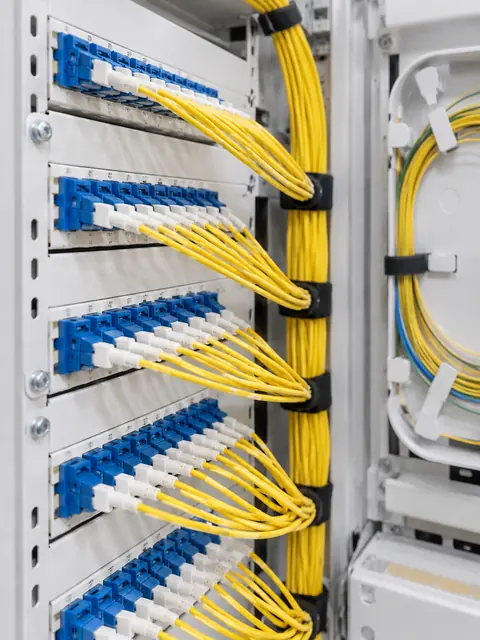
Fiber between buildings on a campus, a multi-building property or a shared block, with outdoor-rated and underground cable where the route needs it.
Fiber risers between floors and between telecom closets (IDFs and MDFs), so every floor gets full speed from the core.
Fusion splicing, pigtails, connectors, patch panels and enclosures, finished cleanly and labeled.
Every link tested after install, with results recorded so you can see what you have and what it should measure later.
Fiber to cameras, access points and gates that are too far for copper Ethernet, with the right power planned at the far end.
Damaged runs repaired and existing fiber extended by splicing, without pulling a whole new cable.
What most people don’t know
Plain answers from the install side, so you can decide with the full picture.
Many offices have fast desktop connections but a slow link between floors or buildings. Upgrading that one link with fiber often improves the whole network at once.
A fusion splice joins two fibers by melting them together, which gives a very clean joint and is how pigtails and long runs are finished. Connectors let you plug and unplug. Both are done in a clean, controlled way, because a speck of dust or a bad cleave can ruin a connection that looks fine.
A fiber link that lights up is not necessarily a good link. Testing measures how much light is lost along the way, and can find a bad splice or a sharp bend. Having those results on file also helps when something goes wrong in the future.
Fiber works with the right transceivers at each end (SFP modules and similar) matched to the fiber type and distance. Mismatches cause a link that either does not come up or drops.
Cameras, access points and gates far from the network room are a good use of fiber. Fiber does not carry power, so the remote device needs power planned at its end, from a nearby supply or a small local switch.
Cable that runs outside or underground must be built for moisture, sunlight and rodents. Using indoor cable outdoors fails quietly and expensively.
A fiber cable contains multiple strands, and using only a few leaves room for later. The extra cost of more strands is small compared to pulling again.
How it works
We look at the space, talk through how you use it and what you want to fix.
A written plan and clear price. Changes are agreed before work happens.
Neat, labeled work, with respect for your home or business.
We test everything, walk you through it and stay available after.
FAQ
If runs are under 100 meters and you do not need isolation, copper is usually fine. Fiber is for distance, speed and isolation.
Yes, if there is a legal and practical pathway. We plan the route and permissions with you.
Yes. We repair and extend fiber using fusion splicing and test the result.
Yes. Every link is tested after install and the results are recorded and given to you.
Yes. Fiber handles the distance, and we plan power for the device at the far end.
Depends on distance and pathways. We give a schedule in the quote.
A short description is enough. We will reply with next steps and a written quote.